Product Catalog Website Structure for Manufacturers (2026)
Dozens to hundreds of models: how to group them, when a model deserves its own page, why specs belong in HTML, how to stop filters from spawning junk URLs, and what Product markup can do without public prices.
Structure a manufacturer catalog site around how buyers search: product type as the backbone, applications as entry points, specs as filters. Group size-only variants into series pages, publish specs as HTML text rather than images or PDFs, keep filter URLs out of the crawl, and never fake prices in Product markup.
Contents ▾
A sales manager drops the company catalog on the conference table: eighty pages, a decade of product lines, part numbers in the margins. "Just put this on the website." It is the most common brief a manufacturer gives a web team, and it is where most catalog sites go wrong before a single page is designed. A printed catalog is organized the way your factory thinks: by production line, by part number, by the year a tool was cut. A buyer searching the web is organized around a problem: a seal rated for continuous heat, a lubricant approved for incidental food contact, a fixture that fits a high-ceiling venue. Your site architecture has to answer the buyer's question, not reproduce your table of contents.
This article is about information architecture: how to group products, how many pages a few hundred models should become, where specs live, what URLs your filters quietly create, and how structured data maps across an entire catalog. How to write an individual product page — spec table wording, application copy, materials and tolerances — is covered in our product page AEO guide. That piece is about writing one page well. This one is about arranging hundreds of them.
The stakes are straightforward. Gartner reports that 75% of B2B buyers prefer a rep-free sales experience. For a manufacturer, that means the buyer has usually compared models, specs and fit on your site before sending the first RFQ. If they cannot find the right product in your structure, they rarely pick up the phone to ask. They go back to the results page and click the next supplier. If you are still scoping the whole build, start with our export website guide from zero to launch and come back to the catalog piece.
Inventory first: nine numbers that shape a catalog site
Short answer: before anyone sketches a menu, count models, series, spec fields, application industries, languages, images, PDFs, certification documents and legacy URLs. Those numbers decide how deep your categories go, whether you need filters, whether a model deserves its own page, and how much translation and upkeep you are signing up for. Designing without them is like cutting a tool without a bill of materials.
Most catalog sites do not fail because they look bad. They fail because nobody knew how much had to go on them. When we rebuilt the site for a car-care chemicals manufacturer, the first deliverable was not a design comp. It was a complete capture of the legacy site: 360 URLs at a 100% success rate, with product pages re-crawled to recover complete specifications. That inventory set the scale of everything after it: 118 products across four languages became 472 product pages, and roughly 660 pages once category pages were added. Discover a number like that after the contract is signed and the quote, the schedule and the CMS data model are all wrong.
Copy the table below into a spreadsheet and have sales, production and quality each fill in the rows they know best.
Pre-planning inventory checklist
| Inventory item | What to count | Architecture decision it drives | What usually turns up |
|---|---|---|---|
| Models | Active models you will keep selling; list discontinued ones separately | Whether you need filters or comparison tables; total product page count | A large share of catalog models are no longer produced |
| Series | Families that differ only by size or a few spec values | One page per model or one page per series | Sales quotes the same series under several names |
| Spec fields | Fields shared across each series, and their units | Filters, comparison tables and structured data | The same field is named and measured differently across catalog pages |
| Application industries | Industries and use cases the products actually sell into | Whether to build application entry pages | Sales knows it by heart; nobody has written it down |
| Languages | Which languages, and whether each covers all or some products | Page count multiplied by language; URL and hreflang planning | One language complete, another half done, the rest machine-translated |
| Images | Photos per model, background removal, dimension drawings | List page layout, load performance, alt text workload | One photo reused across ten models, or only catalog scans |
| PDFs | Full catalogs, datasheets, safety data sheets | What becomes web content and what stays a download | The newest specs exist only in a PDF; the web page is years old |
| Certifications | Which certificates apply to which models, and expiry dates | Whether certification is a filter or a product page field | Certificate scans live in someone's inbox; nobody knows which expired |
| Legacy URLs | Old URLs that are indexed or linked from other sites | Size of the redirect map and the launch acceptance scope | Nobody knows how many pages the old site had until rankings drop |
A rough formula falls out of the inventory: total pages ≈ (product pages + category pages + application pages) × languages. Language is its own topic, covered in our guide to multilingual export website architecture and hreflang. For now, note that Google requires that each language version must list itself as well as all other language versions, so every added language multiplies every architecture decision that follows.
One myth to retire early: more pages do not make a stronger site. Inventory is often an exercise in subtraction — finding discontinued items, duplicates and packaging-only variants, then deciding what to merge, what to retire and what to redirect so old URLs keep the value they earned. Write the inventory into the statement of work as the first milestone, with a checkable spreadsheet as the deliverable; our website RFP and acceptance checklist shows how to phrase it.
How to categorize products: by type, by application or by specification
Short answer: use product type as the backbone of the main menu because it is the most stable; add application or industry pages as a second entry point for buyers who search by problem; and turn materials and specifications into filters rather than top-level categories. These are not three competing options. They are a division of labor: type gives structure, application gets you found, and specs narrow the list.
Buyers do not search the way your catalog is indexed. Google's SEO Starter Guide tells site owners to think about the words a user might search for, noting that experts and newcomers use different terms — its example is "charcuterie" versus "cheese board." In industrial terms, a purchasing engineer may type "316 stainless ball valve 1/2 NPT," while a plant manager scoping a new line searches "valve for food processing washdown." Neither of them will type your internal part number.
That is why part numbers should not be category names or the main body of a URL. Google's ecommerce URL guidance lists /product/3243 as not recommended and advises adding descriptive words to URL paths. Part numbers still belong on the page. Existing customers search by them and paste them from old purchase orders. But they are a lookup key for spec fields and site search, not the way a new buyer learns your product line.
Categorization approaches compared
| Approach | Best when | Typical buyer search | Main risk | Recommended role |
|---|---|---|---|---|
| By product type | Clear product lines; buyers already know the category they need | Category plus one or two specs, e.g. hydraulic hose fitting | Category labels use shop-floor jargon buyers do not recognize | Main menu backbone |
| By application or industry | One product sells into several industries, or buyers search by problem | Industry plus use, e.g. food grade lubricant for bakery | The same product appears on several industry pages and duplicates creep in | Second entry point and landing pages |
| By material or specification | Engineering buyers who filter on specs first | Spec combinations, e.g. M8 stainless flange nut | Every spec combination spawns a URL and thin pages multiply | Filters and comparison tables |
| By part number or catalog page | Existing customers who already hold a part number | Pasting a part number from a quote or PO | New buyers cannot understand it or find it through search | Site search and spec fields |
The steadiest pattern is type as backbone, application as entry point, specs as filters. Picture a metal stamping shop. The main menu reads brackets, washers, clamps, custom stampings. Separate pages cover automotive aftermarket, solar mounting and furniture hardware; each explains in two or three paragraphs what that industry cares about — corrosion class, tolerance, certification — and links to the relevant product pages. Listing pages then filter by material, thickness and finish. The application page answers the question no product page can: do you understand my industry?
Application pages carry their own trap. One product may fit five industries, and if each application page repeats the full product description, you have manufactured five copies of the same content. Keep application pages about the industry's requirements and selection criteria, keep product specs in one place on the product page, and let links do the connecting.
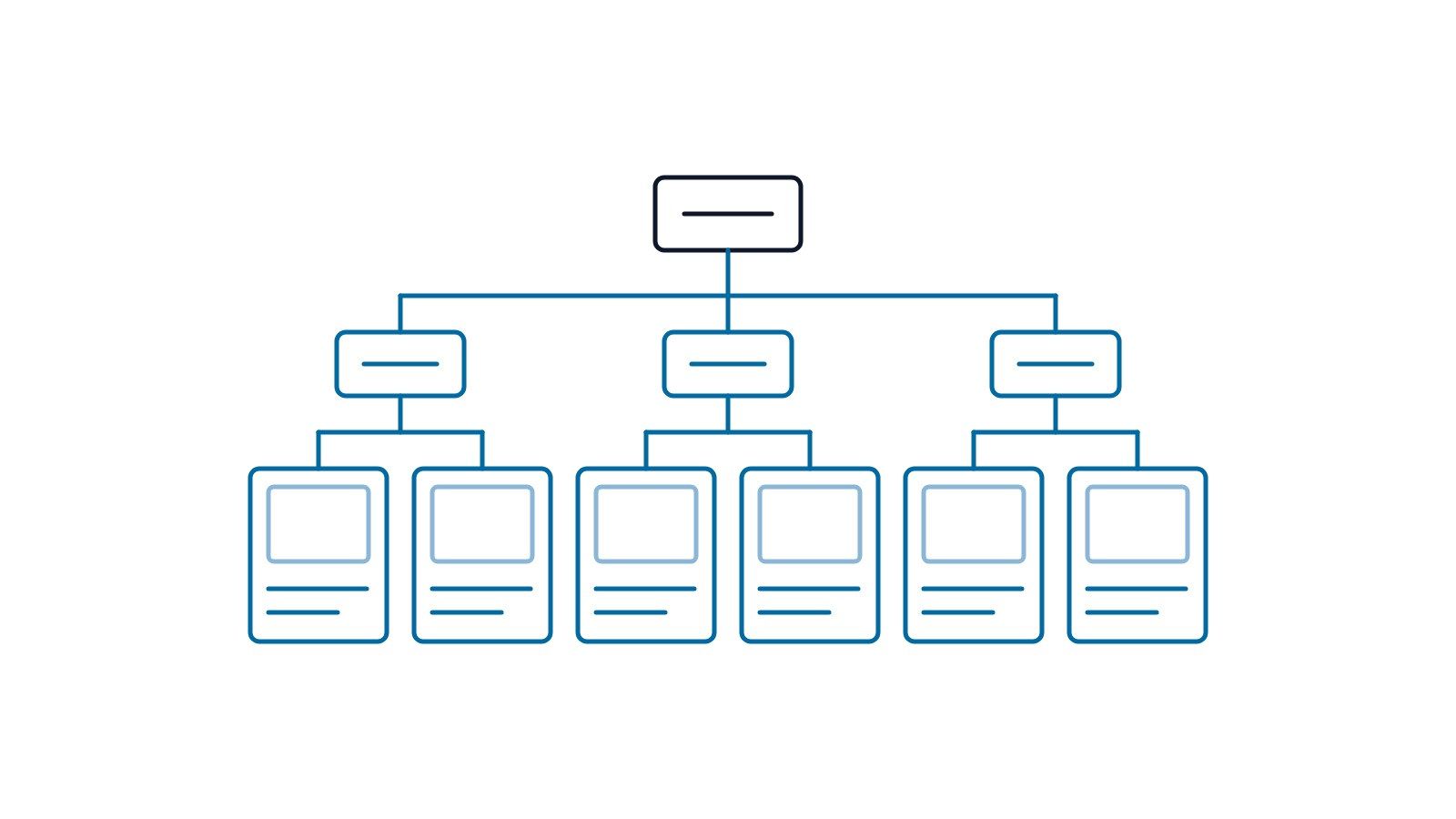
How many category levels is right?
Depth is not an aesthetic choice. It is about clicks to a product and whether every level carries real links. Google's ecommerce site structure guide explains that it can use the number of links it needs to follow to reach a page and the number of links to a page to infer relative importance, and recommends linking from menus to categories, from categories to subcategories, and from subcategories to every product page. The same guide warns that if category pages do not link directly to all products, Googlebot might not find them all by crawling, and that Googlebot generally does not submit searches into a search box.
That line matters for manufacturers. Many catalog sites hide hundreds of models behind "search by part number." It is convenient for loyal customers and invisible to crawlers and AI systems. For most small and mid-sized manufacturers, two levels — category and subcategory — plus product pages are enough. A third level usually signals categories cut along internal lines rather than buyer logic.
Folder structure follows from the same decision. The Starter Guide notes that on sites with more than a few thousand URLs, grouping topically similar pages in directories can help Google learn how often each directory changes. A few hundred models across a few languages gets there quickly, so /products/, /applications/ and /resources/ age far better than a flat root, and they make later reporting by content type much easier.
One page per model, or one page per series?
Short answer: if models differ only by size, color, pack size or a handful of spec values, build one series page that lists every model in a spec table. Give a model its own page only when it has a distinct application, certification or drawing, or when buyers search for it by name. The test is whether the page offers information no other page does, not how many part numbers you have.
Two risks pull in opposite directions. Split too finely and you get hundreds of near-identical pages that differ by one number. Merge too coarsely and buyers searching for a specific model land nowhere specific, and you lose a place to show that model's certification or drawing.
The cost of splitting too finely
First, the fear is usually overstated. Google says plainly that some duplicate content on a site is normal and it is not a violation of its spam policies. You will not be "penalized" for twenty similar model pages. The real costs are three.
Google picks one. When pages are nearly identical, Google selects the URL it considers most representative from a set of duplicate pages, and the others generally do not appear in results. You built twenty pages; one is visible, and it is not necessarily the one you would have chosen.
Crawling is wasted. The Starter Guide notes that duplicate content can be a bad user experience and search engines might waste crawling resources on URLs you do not even care about.
At scale it becomes a policy question. Google's spam policies list, as an example of doorway abuse, creating substantially similar pages that are closer to search results than a clearly defined, browseable hierarchy, and define scaled content abuse as many pages generated for the primary purpose of manipulating search rankings and not helping users. Splitting one spec table into three hundred pages, each swapping a single dimension and topped with a generated paragraph, moves toward that line.
Marketplaces show the same dynamic more starkly. The car-care manufacturer's Alibaba storefront had a single model family published as more than three hundred separate listings, fewer than twenty of which drew any traffic, with one inquiry for the entire family. We set a rule of no more than ten live listings per model family. A marketplace ranks differently from a website, but self-dilution works the same way.
The cost of merging too coarsely
Cram an entire series onto one page with a single PDF table and every specific search lands on a generic page. Worse, if three models in a series of twelve hold a food-contact certification and the rest do not, a merged page struggles to make that distinction clear. The buyer has to email to ask, and most will not.
Decision criteria: when to split, when to merge
| Question | If yes | If no |
|---|---|---|
| Do models differ only by size, color, pack size or capacity? | One series page listing every model in a spec table | Consider separate pages |
| Do models serve different industries or use cases? | Separate pages, each with its own applications and limits | Keep on the series page |
| Do models carry different certifications, test reports or drawings? | Separate pages, or at least label each model clearly on the series page | Keep on the series page |
| Do buyers search for this model name or spec on its own? | It deserves its own URL | The series page is enough |
| Can you write content for this page that no other page has? | Split | Merge; do not pad |
| Would models times languages exceed what your team can maintain? | Merge first; split out high-demand models later | Split as needed |
The middle path: series pages with linkable variants
Often the best answer is both. The series page is the landing page, and each model gets an anchor or a preselected URL within it. Google's product variant documentation is built for this, using ProductGroup for the parent product, hasVariant for each variant, and variesBy for the attributes that differ, such as size or color. It requires that the site can preselect each variant directly with a distinct URL, and Google's ecommerce URL guidance adds that when optional query parameters identify variants, the URL without the parameter should be the canonical.
In plain terms: the series URL is the official one. A "?size=m8" link lets sales send a customer straight to one model, but it points back to the series page instead of competing with it.
The car-care manufacturer went the other way, with a page for each of its 118 products, because shampoos, waxes, coatings and interior cleaners are genuinely different products with different uses, not size variants of one another. Same question, different answer, depending on what actually separates your models.
Put specs in HTML, not in images or PDFs
Short answer: publish specifications as on-page text and HTML tables, because search engines and AI crawlers primarily extract, match and cite text. Specs that exist only inside an image or a PDF cannot reliably be used as searchable fields. Keep the PDF as a download, but make the web page the complete primary source.
The habit is familiar: screenshot the spec table from the catalog and drop it onto the product page. Humans can read it. To a machine it is a picture. Google says it uses alt text along with computer vision algorithms and the contents of the page to understand the subject matter of an image. Understanding what an image shows is not the same as turning every tolerance in it into a field that can be matched against a buyer's query.
AI crawlers add a second trap. Vercel analyzed crawler traffic across its network in December 2024 and found that none of the major AI crawlers currently render JavaScript, including those from OpenAI, Anthropic, Meta, ByteDance and Perplexity, and it recommended server-side rendering for critical content. So the spec table must not be an image, and it must not be drawn by JavaScript after page load either. The check takes ten seconds: open View Source and search for a spec value. If it is there, machines can read it.
Accessibility standards reach the same conclusion. WCAG 2.2 Success Criterion 1.4.5 says that if the technologies being used can achieve the visual presentation, text is used to convey information rather than images of text. One rule serves search, AI and accessibility at the same time.
Design spec fields at the catalog level
Page-level spec writing is covered in the product page AEO guide. At the architecture level, add one rule: every product in a category uses the same spec fields, the same units and the same field order. That is not tidiness for its own sake. It is the precondition for three features:
- Filters work only when field names and values are consistent; "304 stainless," "SS304" and "SUS304" are three different values to a database.
- Comparison tables need identical fields to line products up side by side.
- Structured data can be generated in bulk only when specs are database fields rather than prose on each page.
Baymard Institute's 2025 benchmark of more than 170 leading ecommerce sites found that 58% of desktop sites and 78% of mobile sites perform "poor" to "mediocre" on product list UX, and that 14% do not let users combine multiple values of the same filter type. Those are consumer retail figures. B2B catalogs, where specs are rarely structured at all, have further to go.
Units deserve a decision up front. US engineers default to imperial, many industries work in metric, and international buyers expect both. Storing both in the data model is cheap during the build and tedious to retrofit one page at a time.
For the car-care manufacturer, we re-crawled every product page to recover complete specifications before building anything, because the legacy specs were scattered across formats. Without consistent fields, multilingual pages, filters and structured data all stall.
What to do with the PDF catalog
Fairness first: PDFs are not invisible to search. Google lists Adobe Portable Document Format among its indexable file types. The problem is that a PDF makes a poor landing page. An eighty-page catalog has one URL, so a buyer searching for one model lands on the cover. There is no navigation, no quote button, no related products. When specs change, someone has to re-lay out and re-upload the file, while old copies keep circulating in inboxes.
Three rules cover it:
- Every active item in the catalog gets web content — at minimum, complete spec text on its series page.
- Keep the full catalog as a download on a resources page or on each series page, for buyers who print it or forward it to a manager.
- When a per-model datasheet duplicates a product page, say which one is canonical. Google notes that for content published in formats such as PDF on separate URLs, you can return a rel="canonical" HTTP header to tell Googlebot the canonical URL for the non-HTML files.
The commercial effect showed up clearly for a stage lighting and effects trader. Its seventy-odd page PDF catalog contained items that had never been listed anywhere; the catalog existed for trade shows and long-standing customers. We turned it into product drafts, pushed the images through the API, and took the storefront from a little over three hundred live listings to just past five hundred. That was on Alibaba rather than an owned website, but the lesson carries over: a product that lives only in a PDF barely exists in search.
Filters and URL parameters: the faceted navigation trap
Short answer: filters let buyers narrow by material, size or certification, but each combination can create a new URL. For filter URLs that do not need to rank, Google recommends blocking them in robots.txt or using URL fragments. For combinations buyers actually search, build a real category page with its own content.
This is the most common invisible debt on catalog sites. Google maintains a dedicated document on managing faceted navigation, last updated in December 2025. It explains that the most common, parameter-based implementation can generate infinite URL spaces, which harms a site in two ways:
- Overcrawling: crawlers will typically access a very large number of faceted navigation URLs before determining the URLs are in fact useless.
- Slower discovery: if crawling is spent on useless URLs, the crawlers have less time to spend on new, useful URLs.
Do the arithmetic. A category with 5 materials, 12 sizes, 4 finishes and 3 certifications, allowing one choice or none per filter, produces 6 × 13 × 5 × 4 = 1,560 combinations — before sort orders, page sizes, multi-select or languages. The category itself might hold eighty products.
Five ways to handle filter URLs
| Method | How | Upside | Limit | Use when |
|---|---|---|---|---|
| Block in robots.txt | Disallow the filter parameter patterns | Stops crawling at the source; cheapest option | Blocked URLs are not crawled, so their content is never read | Filtered results do not need to rank, which is true for most manufacturers |
| URL fragments | Keep filter state after the hash symbol | Google generally ignores fragments, so there is no crawl impact | Filtered views cannot be shared as indexable URLs | New builds where you control the front end |
| Canonical to unfiltered page | Each filter URL declares the category page as canonical | Keeps shareable links and consolidates signals | Google calls it less effective long term; crawlers still fetch first | Platforms that will not let you edit robots.txt or the front end |
| noindex | Add a noindex tag to filtered pages | Keeps them out of search results | Crawlers still request the page, so no crawl savings | A small number of pages that must never appear in results |
| Promote to a real category page | Give a searched combination a fixed URL and its own copy | Can rank and carry application content | Each page needs unique content; cannot be mass-produced | Combinations buyers really search, such as a material plus an application |
Each row rests on Google's own words. If you do not need filter URLs indexed, Google suggests using robots.txt to disallow crawling of faceted navigation URLs, or using URL fragments to specify filters, adding that there is often no good reason to allow crawling of filtered items; instead allow crawling of the individual item pages along with a dedicated listing page that shows all products without filters. Of rel="canonical" and rel="nofollow," it says these methods are generally less effective in the long term.
The noindex limit comes from the crawl budget guide: don't use noindex, as Google will still request the page and then drop it, wasting crawling time. Google's canonicalization guidance also says not to use noindex to prevent selection of a canonical page within a single site, because it will completely block the page from Search, and not to use robots.txt for canonicalization purposes. Put together: blocking crawling, preventing indexing and choosing a canonical are three different jobs that need three different tools.
A robots.txt sketch follows. Swap in your real parameter names, and make sure the product pages and the unfiltered listing page stay crawlable:
User-agent: *
Disallow: /*?*material=
Disallow: /*?*finish=
Disallow: /*?*sort=
When a filter combination deserves to rank
Some combinations have genuine demand — "food grade stainless ball valve," for example. Do not let a parameter URL carry that demand. Build a proper category or application page with a fixed URL, its own title and a paragraph or two of explanation. If you insist on indexable filter URLs, Google's best practices are to use the industry-standard & parameter separator, to ensure that the logical order of path-based filters always stays the same and no duplicate filters can exist, and to return a 404 status code when a filter combination doesn't return results rather than redirecting to a generic error page.
Pagination is a cousin of the same problem. Google advises giving each page in a paginated sequence a unique URL and its own canonical, rather than using the first page as the canonical. Templates that point pages two and three back at page one make the products listed there harder to find.
Honest caveat: crawl budget is not your main problem
Google's crawl budget guide opens by saying that if your site doesn't have a large number of pages that change rapidly, or if your pages seem to be crawled the same day they are published, you don't need to read it; keeping your sitemap up to date and checking the Page Indexing report is adequate. It is aimed at large sites with 1 million+ unique pages, or sites with 10,000+ unique pages whose content changes daily.
A manufacturer with three hundred models is nowhere near that. The reason to manage filter URLs is practical rather than existential. Search Console fills up with duplicate and unindexed URLs that bury real problems. Analytics splits one category into hundreds of URLs. And occasionally a filtered page gets picked as the representative URL, so a "no results" view shows up in search. For small sites, filter hygiene is about clarity and observability, not survival.
Your platform shapes how much control you have. W3Techs data from September 2026 shows WordPress runs 40.7% of all websites, and many WordPress catalogs get their filtering from plugins that decide the URL format for you. Hosted builders vary in what they let you change. Before committing, confirm you can control filter URL format, robots.txt and canonical tags; our WordPress vs SaaS platform comparison covers the trade-offs.
Product structured data when you do not publish prices
Short answer: manufacturers can and should mark up product pages, but Google's product snippets require a name plus one of review, aggregateRating or offers, and offers requires a price. A B2B page with no public price and no genuine reviews will not qualify for product rich results. Mark up name, brand, part numbers and specs honestly, and never invent a price or a review.
Google splits product markup into two uses: product snippets, for product pages where people can't directly purchase the product, and merchant listings, for pages where customers can purchase products from you. Most manufacturer sites run on RFQs, so they fall into the first group.
The requirements are short and specific. Google's product snippet documentation, updated in September 2026, states that Product requires a name and must include one of review, aggregateRating or offers, and that when offers is used, the required Offer property is price or priceSpecification.price.
That is the B2B bind. Prices depend on volume, material and lead time, so they are not published, and industrial products rarely collect public reviews. Can you enter a price of zero, or mark up a couple of customer testimonials as reviews? No. Google's structured data policies require that structured data must be a true representation of the page content, and they prohibit marking up content that is not visible to readers, or misleading content such as fake reviews. A quote-only product marked up at zero is false data fed to a search engine.
The car-care manufacturer's legacy site was the cautionary example. The audit found structured data on only about a quarter of product pages, image URLs pointing at a long-dead staging domain, and a few empty placeholder reviews. Markup like that earns nothing and, once read, damages trust across the domain.
Is Product markup still worth it without rich results?
Yes, with calibrated expectations. Missing snippet eligibility does not make markup pointless. Schema.org's Product type carries many properties suited to industrial goods, giving search engines and other systems an explicit, machine-readable statement of what the product is, who makes it, what its part number is and what its specifications are. The non-negotiable rule: every marked-up value must be visible on the page.
| Property | What it maps to on the page | Notes for B2B manufacturers |
|---|---|---|
| name | Product page headline | Buyer-readable name plus a key spec, not just the part number |
| description | Summary paragraph | Match the visible opening paragraph; no separate machine-only copy |
| image | Main product photo | URLs must resolve; update them after migrations; never a staging domain |
| brand | Brand name | Yes for own-brand products; think carefully on contract manufacturing pages |
| sku and mpn | Model or part number field | This is where part numbers do their work, not in URLs or category names |
| material | Material row in the spec table | Use industry-standard terms that match your filter values |
| additionalProperty | Other spec rows | Temperature, dimensions, tolerance; names and units match the visible table |
| hasCertification | Certifications listed on the page | Only current certificates you actually hold |
| offers | Price and availability | Leave it out if you do not publish prices; never enter zero |
| review and aggregateRating | Genuine reviews shown on the page | Leave empty if you have none; never fabricate |
Definitions live on schema.org/Product: for example, mpn is the Manufacturer Part Number, sku is a merchant-specific Stock Keeping Unit, and additionalProperty is a property-value pair representing an additional characteristic such as a product feature. Series pages can tie models together with ProductGroup and hasVariant; category pages pair well with breadcrumbs and ItemList. Implementation details — where the JSON-LD goes and how to validate it — are in our AEO technical setup guide.
One architecture rule matters more than any single property: generate structured data from the product database, never by hand page by page. Hundreds of models across several languages guarantee that hand-written markup drifts from the page; someone updates a spec and the JSON-LD stays stale. When specs are database fields, one record drives the spec table, the filters and the structured data, and the three can never disagree.
Two catalog migrations, two lessons
Short answer: the car-care manufacturer taught us to inventory everything before moving and verify everything while moving; the stage lighting trader taught us that products left inside a PDF effectively do not exist online. One was an owned website and one a marketplace store, but both came down to turning factory product data into a structure buyers can find.
A four-language, 472-page catalog rebuild
The car-care chemicals manufacturer sells its own brand alongside OEM and ODM work. The legacy site had no canonical tags, no Open Graph, an English sitemap returning 404, and more than a dozen Chinese pages with no English counterpart. The sequence we followed:
- Capture everything first: 360 URLs at a 100% success rate, product pages re-crawled for complete specs, content pages converted to structured documents, and every PDF, embedded video and form specification preserved.
- Rebuild in four languages: 118 products across English, Traditional Chinese, Spanish and Arabic for 472 product pages, around 660 pages with categories, with genuine right-to-left layout support for Arabic.
- Verify every redirect: around three hundred of them, each confirmed to land on a real page rather than a 404 or a chain of hops.
- Hand over: with the CMS connected, publishing rebuilt and deployed the site within two to three minutes, and retiring a few SKUs updated the sitemap automatically.
Step four is the most underrated part of catalog architecture. Models get discontinued and added, so the plan must say what happens when a model is retired: where its page redirects, whether category counts change, whether the sitemap keeps a dead link. Google's ecommerce URL guidance suggests using a noindex robots meta tag if a category has no items, and considering a 404 if your site removes empty categories automatically.
Performance matters as well. A batch pipeline trimmed and squared the product photography, cutting total image payload from 58.10MB to 15.98MB. Listing pages load dozens of product images at once, and Google's Core Web Vitals guidance treats an LCP of 2.5 seconds or less as good, assessed at the 75th percentile of page loads.
Items in a seventy-odd page PDF that were never listed
The stage lighting trader had impressions but no inquiries on its Alibaba storefront. Alongside rebuilding keywords and detail pages, part of the work was the PDF catalog: items that had never been listed became product drafts, images went up through the API, and live listings rose from a little over three hundred to just past five hundred. We also rewrote detail pages so that specifications, materials, applications, certifications and lead times were each stated plainly, and we cleaned dirty attribute data while rebuilding missing specifications.
With no advertising at any point during the engagement, organic impressions rose from 690 to 752 a day and click-through rate from 1.67% to 2.21%. That reflects all of the changes combined, not the catalog listing alone. But it shows that structuring product information is measurable work. For how a marketplace store and an owned website should divide the job, see do you need your own website if you already have an Alibaba store.
When you do not need to restructure
Short answer: if you have fewer than twenty or thirty products, your product pages are already indexed, and buyers find what they need, do not rebuild for architectural purity. Restructuring carries cost and risk, especially when URLs change.
- Few models. Twenty or thirty products in two or three categories need one listing page and product pages. Filters would only create URLs nobody uses.
- The current structure works. If Search Console shows product pages indexed and search traffic stable, imperfect category labels are not a reason to relaunch. Improve the content — spec text, application notes — and leave URLs alone.
- Search is not the site's job. If every customer arrives through a handful of long-term distributors and the site mainly confirms that you exist, architecture work can wait.
- Nobody will maintain it. Six languages and five hundred model pages with no owner become a museum of outdated specs within a year. Match the scale of the architecture to your maintenance capacity.
If you do change categories or URLs, our redesign vs rebuild decision framework helps scope the work. Google treats redirects as a strong signal that the target should become canonical, rel="canonical" as a strong signal, and sitemap inclusion as a weak signal. In a migration, one-to-one redirects to the closest new page, verified individually, are the most reliable tool you have.
How to check the architecture after launch
Short answer: use the Page indexing report in Google Search Console and watch three kinds of status — duplicate pages with canonical problems, discovered but not indexed, and crawled but not indexed. Where those statuses cluster tells you which layer of the architecture needs work.
Google defines each status. Duplicate without user-selected canonical means the page duplicates another and does not indicate a preferred canonical; Duplicate, Google chose different canonical than user means you declared a canonical but Google thinks another URL is a better one. If these cluster on model pages within one series, you probably split too finely. If they cluster on filter URLs, your filters are leaking into the crawl. Discovered – currently not indexed means Google found the page but has not crawled it yet; if new product pages pile up there, confirm that category pages link directly to every product.
A quick launch-week check:
- Open View Source on three product pages and confirm the spec values appear in the HTML.
- Run the Rich Results Test on product pages. Without offers or reviews the product snippet will not be eligible, which is expected.
- Spot-check three filter URLs against your robots.txt rules.
- Spot-check three legacy URLs to confirm they redirect to the right new pages.
For what to watch over the first three months, see the first 90 days after launching an export website. For the RFQ button and form that sit on every product page, see B2B inquiry form design. Recurring technical issues are covered in our website technical self-check.
A catalog website is a data project first
Most of a catalog site's quality is decided before the first design comp: whether the inventory was done, whether categories follow how buyers search, whether specs are database fields, whether filter URLs are contained, and whether structured data matches the page. None of that is layout. All of it is data.
If you are planning or rebuilding a site with dozens or hundreds of models, HappyCXO Studio's website service starts with product inventory and architecture rather than templates. Whoever ends up building your site, fill in the inventory table first. It makes every conversation after it concrete.
FAQ
We only have twenty or thirty products. Do we need filters on our website?
If we upload our PDF catalog, can Google find it, or do we still need web pages?
Will Google penalize us for separate pages for models that differ only by size?
Can we use Product structured data if we do not publish prices?
Should our internal part numbers go in URLs or category names?
How many category levels should a manufacturer website have?
Will we lose rankings if we rebuild the catalog and change URLs?
References
- 1.Managing crawling of faceted navigation URLs— Google Search Central
- 2.How to specify a canonical URL with rel="canonical" and other methods— Google Search Central
- 3.What is URL canonicalization— Google Search Central
- 4.Product snippet (Product, Review, Offer) structured data— Google Search Central
- 5.Intro to Product structured data— Google Search Central
- 6.Product variant (ProductGroup) structured data— Google Search Central
- 7.General structured data guidelines— Google Search Central
- 8.Help Google understand your ecommerce website structure— Google Search Central
- 9.Designing a URL structure for ecommerce websites— Google Search Central
- 10.Pagination, incremental page loading, and their impact on Google Search— Google Search Central
- 11.Optimize your crawl budget— Google Search Central
- 12.SEO Starter Guide— Google Search Central
- 13.Spam policies for Google web search— Google Search Central
- 14.File types indexable by Google— Google Search Central
- 15.Page indexing report— Google Search Console Help
- 16.The rise of the AI crawler— Vercel
- 17.Understanding Success Criterion 1.4.5: Images of Text (WCAG 2.2)— W3C Web Accessibility Initiative
- 18.Product List UX Best Practices 2025— Baymard Institute
- 19.The B2B Buying Journey— Gartner
- 20.Schema.org Product type— Schema.org
- 21.Usage statistics of content management systems— W3Techs
We help small and medium businesses grow export sales in the AI era.
Related articles
Alibaba Store vs Your Own Website: Do You Need Both?
Not always. A marketplace store gets you found inside the platform; an owned website lets buyers and AI verify you outside it. Wait if you are not building a brand; build one for branding or North American distribution.
B2B Inquiry Form Design: Turn Website Traffic Into RFQs
A B2B inquiry form should ask only what you need to reply (company, country, quantity, application, timeline), show a response time and real contact details beside it, route every submission to a monitored inbox, and track success with GA4 generate_lead as a key event.
What to Do After Your Website Launches: A 90-Day Plan
The first 90 days after launch run in three stages: in week 1, set up Search Console, Bing Webmaster Tools and GA4; in weeks 2 to 4, fix what the indexing, 404 and speed reports show; in months 2 and 3, build a content cadence. Google says results take weeks to months, and no one can guarantee rankings.